Activation rate: choose the milestone before the metric
Define a meaningful activation milestone, calculate a cohort rate, and handle incomplete observation windows with practical examples for a SaaS product team.
The ClickClacks team · 6 min read
On this page 8 sections
- Start with a useful outcome
- Choose the unit: people or accounts
- Fix the window before looking at the number
- Keep immature cohorts visible
- Track a sequence that matches the product
- Validate a few records before reviewing a trend
- Use activation to investigate, not to declare victory
- Keep a metric card beside the funnel
Activation rate is the share of a starting group that reaches a defined first-value milestone within a defined amount of time. To calculate it, divide the number who reach that milestone by the number eligible to reach it, then multiply by 100.
The arithmetic is straightforward. The difficult part is deciding what the milestone represents. If you call account creation activation, you learn whether people can register. If your product promises to help them complete a real task, registration alone cannot tell you whether they experienced that value.
This guide walks through a fictional collaborative planning app. The examples and numbers are illustrative, so you can adapt the method without mistaking them for a target your product should hit.
Start with a useful outcome
Write down what someone came to accomplish. In the planning app, a project manager wants a team to coordinate work. Creating an empty project is necessary setup, but a teammate accepting and completing an assigned task is stronger evidence that collaboration has started.
A candidate account-level milestone might be: “Within seven days of workspace creation, a second member completes a task assigned by the workspace creator.” It includes a behavior, an identity rule, and a deadline. Someone implementing the query should not need to interpret the word “engaged.”
This is still a hypothesis about value. Interview a few users, watch authorized usability sessions, and compare the milestone with later meaningful usage. A milestone can be easy to measure and still represent the wrong job. Conversely, a valuable outcome may be too far downstream to guide early onboarding work by itself.
Choose the unit: people or accounts
For a personal writing tool, individual users may be the right unit. For the collaborative example, a workspace is the better fit because several people contribute to one result. Count each workspace once, even if five teammates complete tasks.
Do not switch units halfway through. “Teammates who completed tasks divided by workspaces created” is not an activation rate. It mixes different populations and can exceed 100% without telling you anything coherent about activation.
Define eligibility before examining the result. Exclude test workspaces using a documented rule. Decide how duplicate workspace creation and imported legacy accounts are handled. Keep genuine customers who encountered an error in the denominator; their failure to activate is part of the product experience.
Fix the window before looking at the number
Suppose 120 eligible workspaces are created during one week. Each receives seven full days from its own creation timestamp to reach the milestone. After the youngest workspace has had that opportunity, 42 have qualified.
The seven-day activation rate is 42 divided by 120, or 35%. The remaining 78 did not reach the milestone within the chosen window. Some may activate later, which is useful information, but it should not retroactively change a metric labelled “seven-day activation.”
If you need a longer view, maintain a separate 14-day measure. Compare seven-day results with seven-day results. Changing the deadline from seven to fourteen days and claiming an onboarding improvement would confuse a definition change with a behavior change.
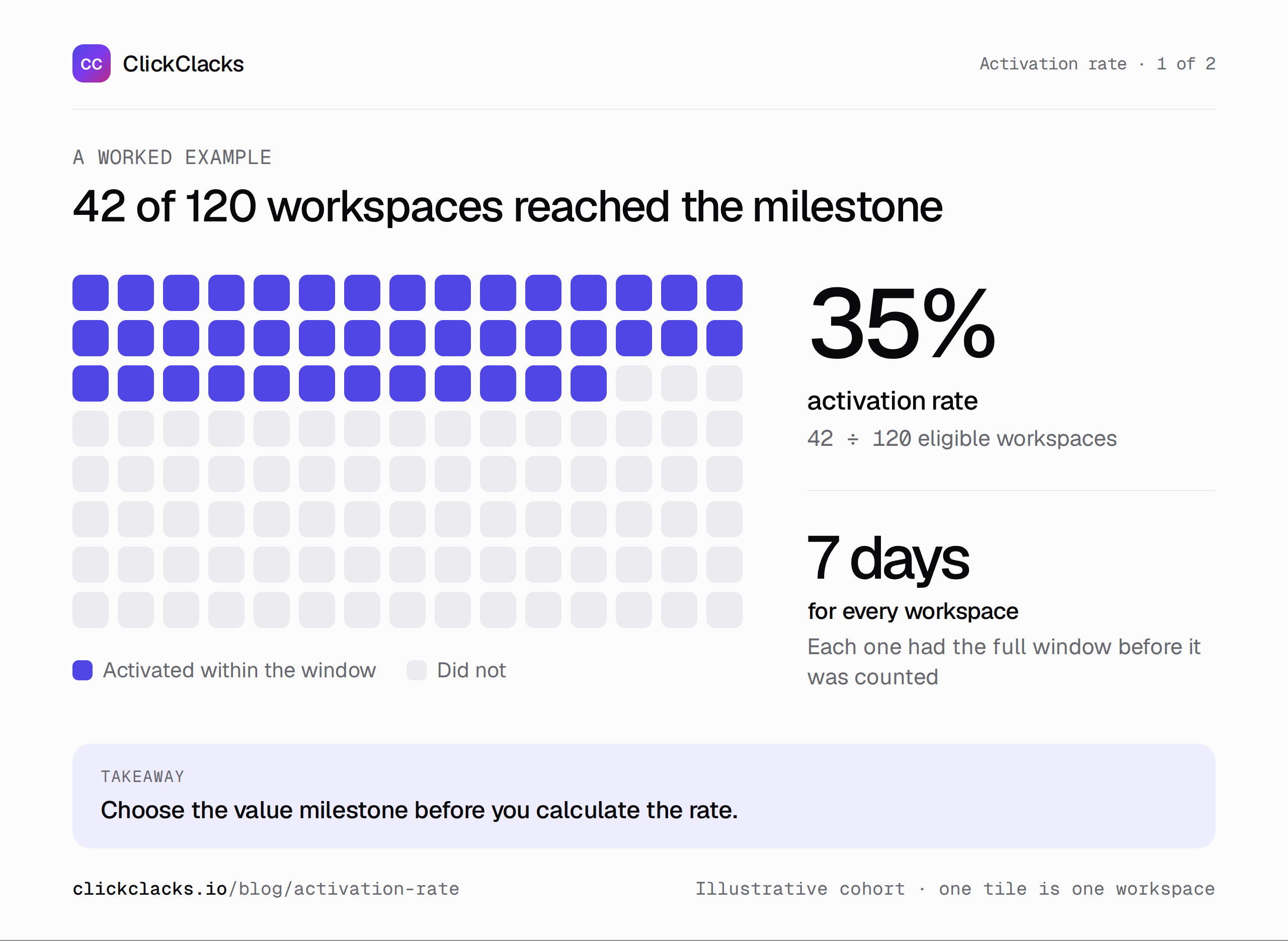
Illustrative example: every workspace has a complete seven-day observation window.
Keep immature cohorts visible
A common mistake is to report this week’s sign-ups on Friday as though they all had seven days to activate. Monday’s workspaces have had several days; Friday’s have had hours. The newest cohort can look worse simply because the clock is still running.
Mark it as provisional, or restrict the final rate to workspaces with a complete observation window and label that population clearly. Preserve the pending count so readers can see what remains unresolved. Do not label every pending workspace a drop-off.
For example, a fresh cohort could contain 50 workspaces: 10 already activated, 15 completed the window without activation, and 25 still pending. That is not yet a final seven-day activation rate for all 50. Reporting the three states is more informative than forcing a premature percentage.
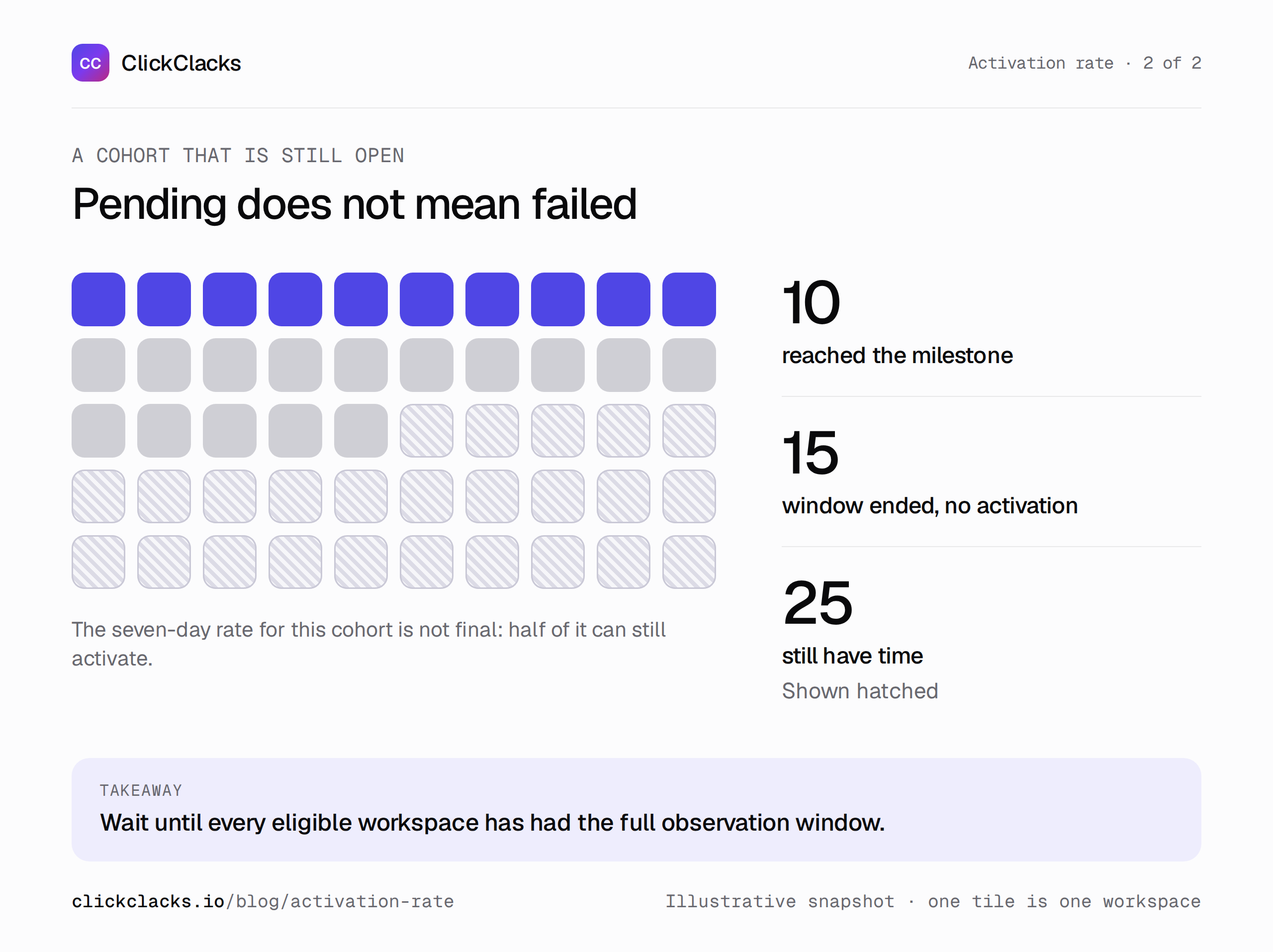
Pending means the observation period is unfinished, not that tracking data is missing.
Track a sequence that matches the product
Instrument successful workspace creation, task assignment, invitation acceptance, and task completion with stable user and workspace identifiers. A click on “Invite” should not substitute for an accepted invitation. A task-completion event should describe a completed state transition, not a button press that later fails.
Use the intermediate steps to diagnose the route to activation. You may discover that workspaces create tasks but never invite a teammate, or that invitations are accepted but the assigned task is unclear. Each pattern suggests a different investigation.
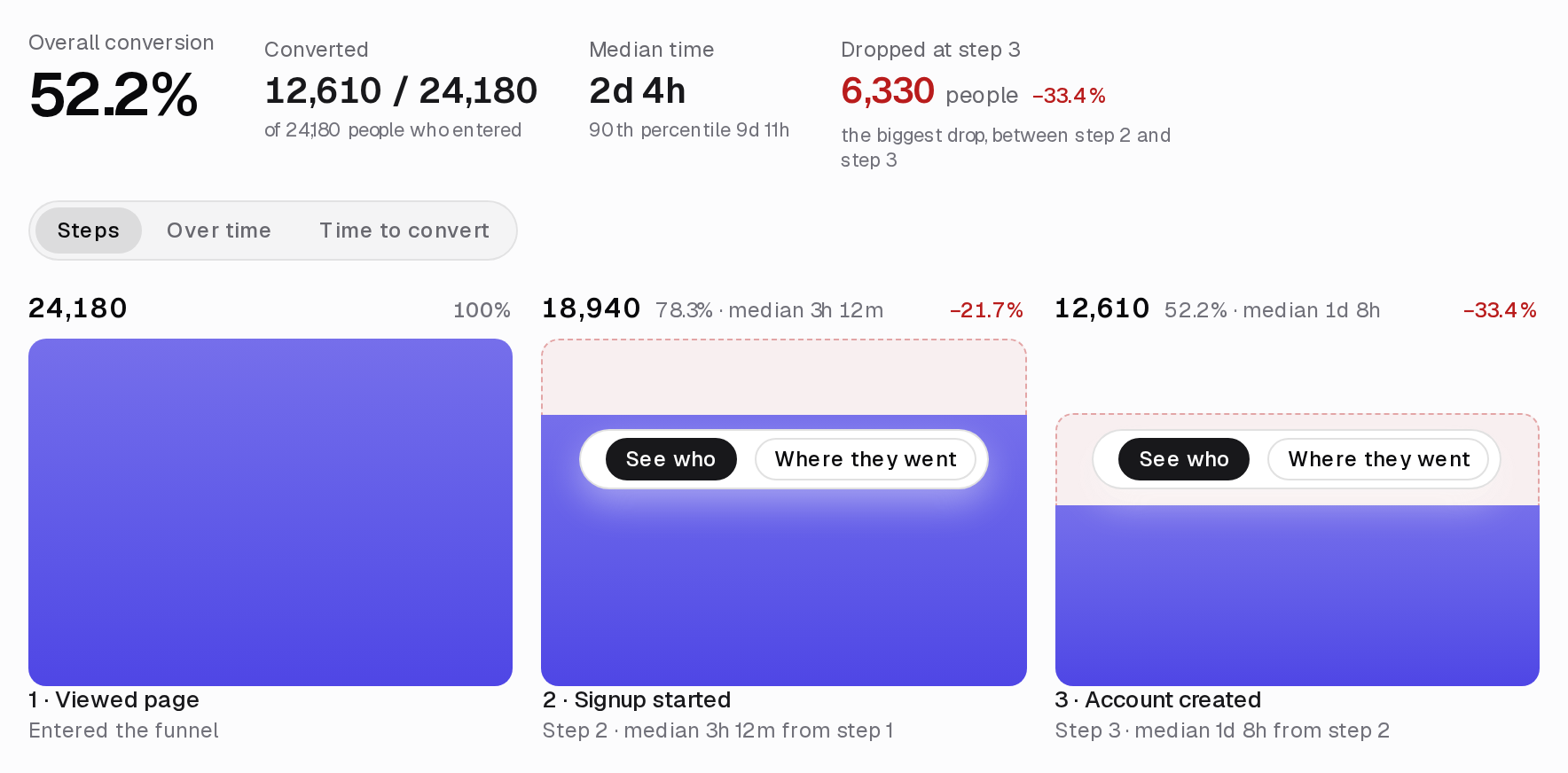
Ordered funnels and conversion windows can change who qualifies. Check your tool’s handling of intervening events, repeated entries, and deadlines. This funnel interpretation reference illustrates why those settings belong in the metric definition. A chart title alone does not preserve them.
Validate a few records before reviewing a trend
Create a small set of local test workspaces. Include one that qualifies, one that completes the task after the deadline, one where the creator completes their own task, and one where an event is retried. Write down the expected classification before running the report.
The late completion should not count in seven-day activation. The creator’s own completion should not satisfy a second-member rule. A duplicate event should not count a workspace twice. If the results disagree, fix the instrumentation or query before interpreting the business result.
Also check timestamp assumptions. Event occurrence time and ingestion time can differ when clients queue events. Pick the clock that represents the behavior you intend to measure, document the choice, and investigate unexpected negative durations rather than silently removing them.
Use activation to investigate, not to declare victory
Segment by a distinction you can act on, such as workspaces that arrive with an existing team versus solo evaluators. A solo evaluator may need a credible way to try collaboration before inviting colleagues. An established team may need a faster invitation path.
If activation rises after a redesign, check acquisition mix, tracking changes, and later usage before attributing the gain to the redesign. A different group of sign-ups could explain part of the movement. More users crossing a milestone is encouraging, but it does not establish that they will remain customers.
Avoid adopting a generic “good activation rate” from an unrelated business. A personal utility with immediate value and a team tool requiring several people to participate have different opportunities and deadlines. Your own stable definition is a more useful starting point for comparison.
Keep a metric card beside the funnel
A useful card records the unit, entry event, value milestone, deadline, exclusions, timezone, and owner. Add the date of the last definition change. Give a teammate enough information to reproduce the number without asking the person who built it.
Use a funnel report to inspect where the route breaks, then choose one change with an explicit hypothesis. In this example: “Make the teammate’s assigned task visible in the invitation so more accepted invitations lead to a completed task.”
The next review should ask whether the relevant transition improved, whether the completed cohort’s activation rate changed, and whether later usage remained healthy. That keeps activation connected to a useful outcome instead of turning it into another number people learn to inflate.
Keep reading
All posts
Analytics6 min read
Time to value: measure the wait for a useful result
Define time to value, keep non-completers visible, and break the wait into actionable stages. Learn why a faster median can coexist with a worse completion rate.
Analytics6 min read
Product engagement metrics for a weekly team review
Choose meaningful activity, frequency, and participation metrics for a focused weekly review. Use clear definitions, quality checks, and an accountable next action.
Analytics6 min read
Customer retention metrics: separate users, accounts, and revenue
Separate user activity, account retention, and recurring revenue with worked examples. Calculate gross and net retention while keeping new-customer revenue out.