Build a tracking plan your team can actually maintain
Build a small tracking plan around a product question. Specify events, properties, identity, validation cases, and ownership, with an example event contract.
The ClickClacks team · 6 min read
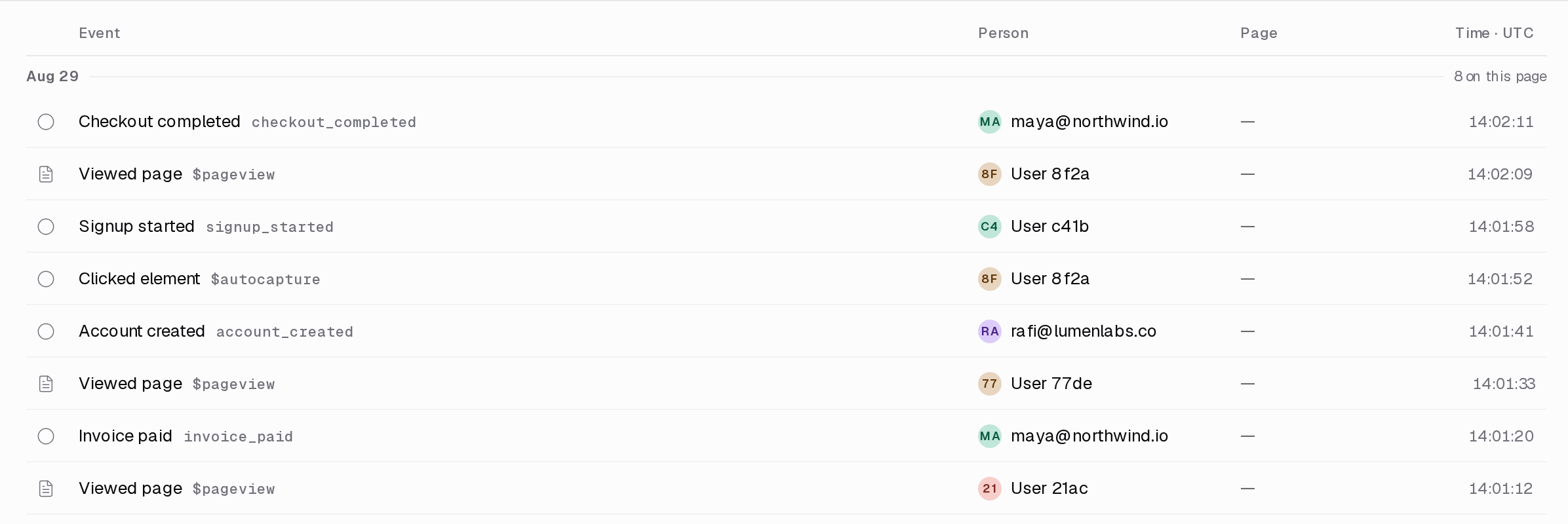
A tracking plan is a shared specification for the events your product records: what each event means, when it fires, which properties it carries, and who keeps it correct. Its purpose is to make a product question answerable without everyone reconstructing the implementation from memory.
You can start with a spreadsheet or a document. The important choice is the scope. Pick one decision your team needs to make, specify the few events required to support it, and test them. A catalog of every clickable element is harder to maintain and may still miss the outcome you care about.
This walkthrough builds a small plan for a fictional file-import workflow. The event names and payload are examples, not a required ClickClacks SDK format. You will need access to the application code, a local or test environment, and someone who can confirm what import success means.
Begin with a question that leads to action
Suppose the team asks, “Where do new workspaces get stuck before their first usable import?” The answer could change file validation, background processing, or the explanation shown after an import finishes.
List the states that distinguish those possibilities. An import was requested. The request was rejected before processing. Processing began. Processing succeeded or failed. The user opened the resulting dataset. Those states are more helpful than a long list of clicks on buttons that happen to appear along the way.
Agree on the outcome. Does “success” mean a worker finished, at least one row was accepted, or the user saw usable data? Those may deserve separate events. Combining them into an ambiguous import_done event would hide the very problem you are trying to investigate.
Write one complete event contract
Start with import_completed. Define it as: “The import service commits the final result of an import job that accepted at least one row.” It fires once per job’s successful completion, after the result is durable. An empty import has a separate outcome and does not satisfy this definition.
For each event, record the name, business meaning, exact trigger, emitting service, identity fields, property types, allowed values, owner, and validation cases. A tracking-plan specification reference shows the role of events and property rules in a maintained schema. The same contract discipline is useful even when your plan lives in a plain document.
Here is an illustrative payload for the completed event:
{
  "event": "import_completed",
  "event_id": "evt_example_01",
  "occurred_at": "2026-09-10T10:15:00Z",
  "workspace_id": "ws_example",
  "import_id": "imp_example",
  "schema_version": 1,
  "properties": {
    "file_type": "csv",
    "rows_accepted": 120,
    "rows_rejected": 3
  }
}
The numbers and identifiers are fictional. Notice what is absent: file contents, customer email addresses, and raw rejected rows. None is needed to locate a workflow failure at this stage.
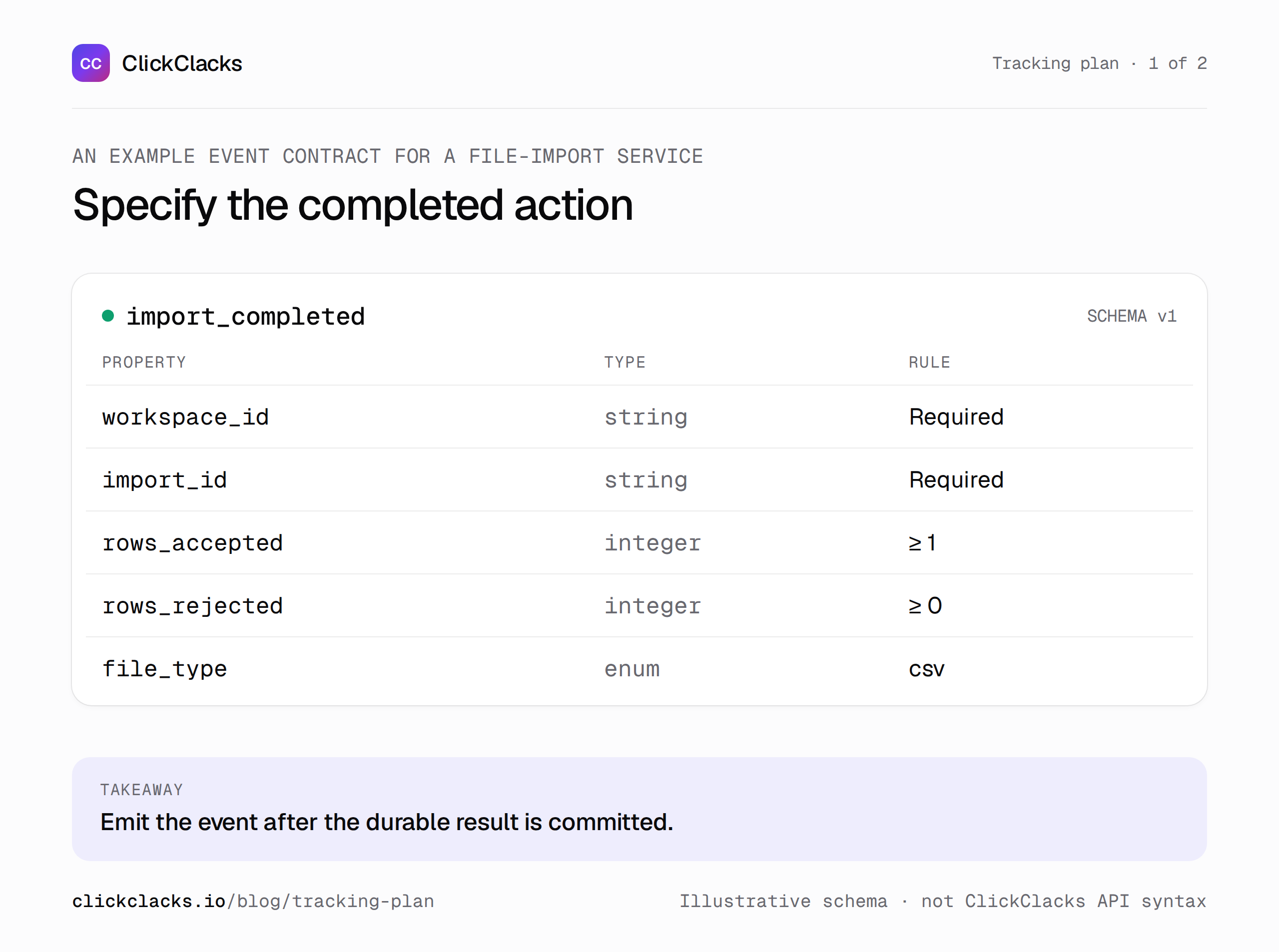
The contract describes behavior. The SDK call is an implementation detail that must match it.
Decide where each event belongs
The browser knows when someone opens the import dialog. The server knows whether an import job commits successfully. Put each event where its meaning can be established reliably.
Do not emit the same success event independently from both places unless you have a deliberate deduplication design. A user retrying a request or reloading a success page should not create a second completed job in the analysis.
Distinguish a logical event from a delivery attempt. A stable event identifier can let a receiving system recognize retries; an import identifier lets you group the workflow’s different events. These identifiers solve different problems. Document whether your chosen analytics pipeline actually deduplicates events, because adding an ID to a payload does not guarantee that behavior.
Use names that survive a redesign
Name events after domain actions, such as import_requested or dataset_opened, rather than visual elements such as blue_button_clicked. A button can move or change color without changing the meaning of the action.
Choose a consistent convention and write it down. The specific capitalization matters less than using one canonical name and definition. Put variable details in properties: file_type: csv is easier to analyze than inventing separate event names for every supported format.
Keep property vocabularies bounded where possible. A failure category like invalid_schema is useful for grouping. An unrestricted exception string can fragment the report into hundreds of values and may accidentally include sensitive input. Preserve detailed diagnostics in an appropriately controlled engineering system.
Make identity part of the plan
Write down which identifier represents a person and which represents a workspace. Keep workspace membership separate from personal identity: someone who belongs to two workspaces remains one person, but their actions may belong to different accounts.
For anonymous activity, define how and when a known identifier becomes available. Do not casually join people by a shared name or by whichever email address appears in an event property. Identity mistakes can make a healthy workflow appear to lose users halfway through.
Also decide how internal users and test data are marked. Apply those exclusions deliberately in reports. Deleting every strange-looking event after the fact makes it difficult to tell instrumentation problems from inconvenient product behavior.
Test the contract with real transitions
For the import example, build a small acceptance checklist: one successful file, one file rejected before processing, one job that fails during processing, and one retried delivery of the same logical success event. Check both event contents and event counts.
The success case should produce the expected completed event with integer row counts and the right workspace identifier. The rejected request must not appear as a completed import. The retry should behave according to the pipeline’s documented deduplication rule. Record the result rather than assuming it.
Then reproduce the product question. Can you follow a test import from request through its final state and into the first dataset view? If a stage cannot be joined, fix the identity fields before building a polished dashboard.
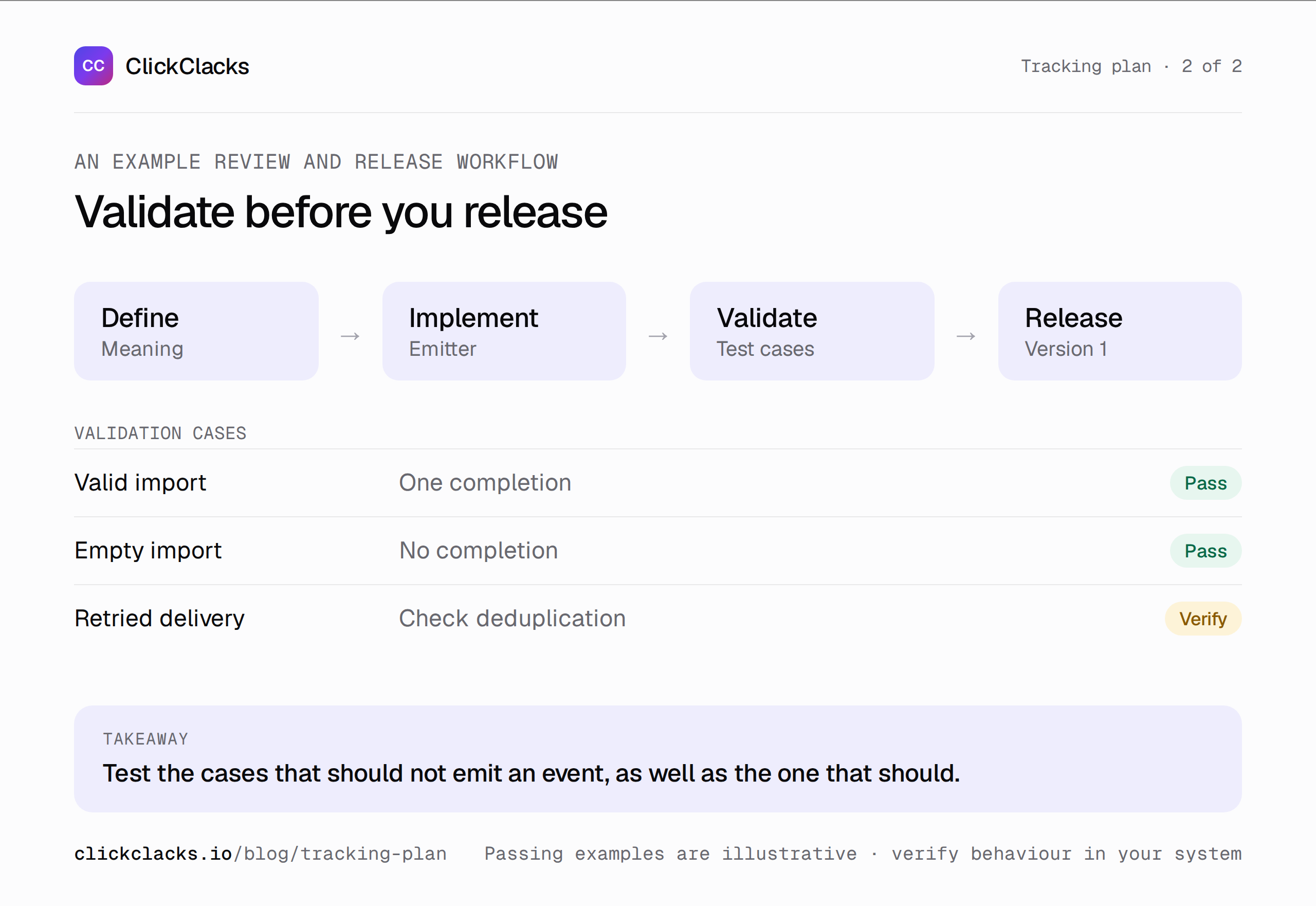
Validate the question end to end, not just whether an event reached the collector.
Maintain the plan alongside the code
Assign an owner to each event family, not necessarily each individual event. An engineer can own implementation while a product manager owns the business definition. The important point is that a proposed change has someone accountable for its effect on existing reports.
Include tracking changes in the same review as the feature. Ask whether an event is added, removed, renamed, or redefined. A property added without changing existing semantics may be compatible. Changing import_completed from “durable result” to “processing started” is a breaking definition change even if the JSON structure stays identical.
For a breaking change, introduce a version or a new event, document the transition date, and update dependent reports. Keep old definitions discoverable. Otherwise a future analyst may compare two periods that use the same label but count different behavior.
Keep the first version small
Your first plan is complete when it answers the chosen question reliably, not when it lists every possible event. Review unused events periodically and retire collection that has no justified purpose. A smaller plan is easier to validate when the product changes.
The analytics API page explains the collection interface available in ClickClacks. Use the current docs for implementation details, then check the emitted events against your own contract. This article’s payload is a design example; it is not a tested request against that API.
Before handing the plan to a teammate, ask them to implement or query one event using only the document. Every clarification they need is a place where the plan can become more precise. That small exercise is often a better quality check than adding another column to the template.
Keep reading
All posts
Analytics6 min read
Time to value: measure the wait for a useful result
Define time to value, keep non-completers visible, and break the wait into actionable stages. Learn why a faster median can coexist with a worse completion rate.
Guides10 min read
User onboarding analytics: find where new users get stuck
Find the onboarding step that prevents activation, reproduce a worked funnel with sample events, and separate pending users from real drop-offs.
Guides6 min read
How to interpret cohort analysis without misreading the grid
Learn how to read cohort rows and columns, distinguish pending periods from zero activity, and compare retention fairly using an annotated worked example.