How to measure feature adoption beyond the first click
Measure feature adoption with a clear eligible population, successful actions, and repeat-use windows. Work through an example and diagnose the next obstacle.
The ClickClacks team · 6 min read
On this page 7 sections
A feature adoption rate should tell you whether people are getting useful work done with a feature. A click on its navigation item tells you something narrower: someone opened it. Treat those as the same event and a successful announcement can look like a successful feature, even when people leave without finishing anything.
Start with three questions. Who could reasonably use this feature? What action shows that they completed its job? Do they come back when that job comes around again? Those questions give you a measurement plan that can distinguish a discovery problem from a usefulness problem.
This guide uses an illustrative reporting feature in a fictional SaaS app. Every number is invented to explain the method, not drawn from a customer or offered as a benchmark.
Define the job before you count users
Suppose your team ships scheduled reports. The job is to deliver an updated report without someone manually exporting it every week. Opening the scheduling dialog is exploration. Saving a valid schedule is setup. A successful scheduled delivery is evidence that the feature performed its job.
Write the definition in one sentence: “An eligible workspace adopts scheduled reports when its first scheduled report is delivered successfully.” That is an account-level definition. A person-level definition would answer a different question, such as how many report owners set up a schedule.
Both can be useful. Choose the one that matches your decision. If you are deciding whether workspace admins can complete setup, measure admins. If you are deciding whether customer workspaces receive recurring value, measure workspaces. Never divide a workspace count by a user count.
The distinction between discovering, trying, and returning is also reflected in this feature adoption definition. Use those stages as questions to investigate, not as proof that every feature should have the same lifecycle.
Choose an eligible population
Your denominator is the set of people or accounts that could reasonably do the thing you are measuring. For scheduled reports, that might mean workspaces with a saved report, permission to schedule it, and access to the feature at the beginning of the observation period.
Imagine that 200 workspaces meet those conditions on September 1. During the next 28 days, 80 open the scheduling dialog, 50 save a valid schedule, and 40 receive a first successful delivery. Overall adoption for that starting population is 40 divided by 200, or 20%.
It would be misleading to divide by only the 80 workspaces that opened the dialog and label the result overall adoption. That calculation, 50%, measures success among explorers. It excludes the discovery problem you may need to solve.
Keep the starting population fixed for this analysis. If 30 more workspaces become eligible halfway through the month, track them in another eligibility cohort with their own observation window. Otherwise they have less time to adopt than the original group.
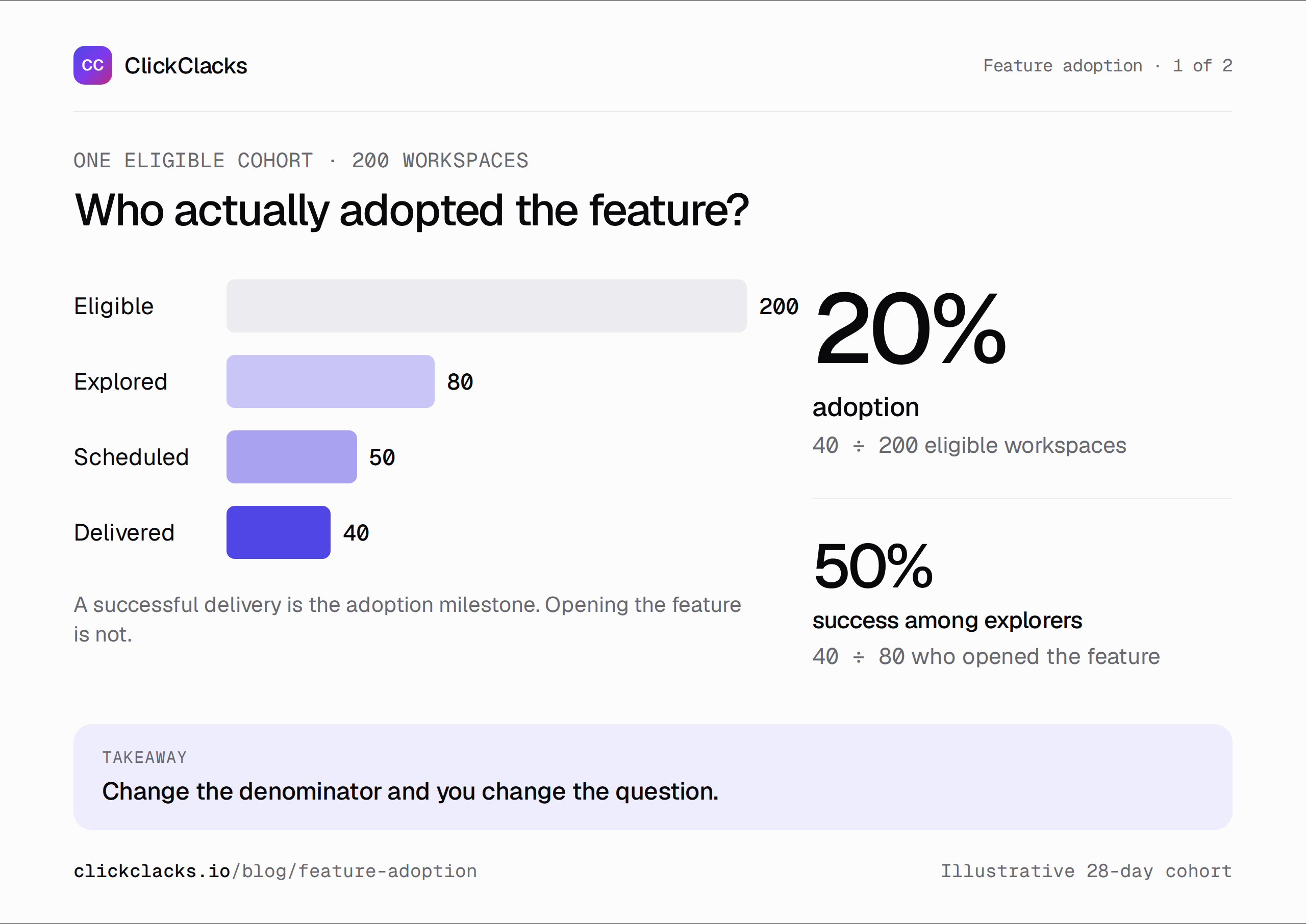
Illustrative example: the same 200-workspace starting population is used throughout.
Instrument success, failure, and identity
Use events that describe completed actions. An example event plan could include schedule_dialog_opened, report_schedule_saved, scheduled_report_delivered, and scheduled_report_failed. Capture stable workspace and report identifiers so you can join the events without guessing from names or email addresses.
Emit the delivery event from the component that knows delivery succeeded. A browser click on “Save” cannot establish that a future background task worked. For the same reason, a retry should not create two apparent first successes. Use a stable delivery identifier to distinguish a retried event from a second delivery.
Record the properties needed for the decision: cadence, report type, and a bounded failure category may be enough. Avoid collecting report contents just because they are available. Write a test case for a successful delivery, a failed delivery, and a retried delivery before you trust the chart.
Measure repeat use on the feature’s schedule
First success and repeat use deserve separate metrics. A one-time account migration can be successful without ever repeating. A weekly report should have another opportunity to deliver after a week. A daily activity rule would misclassify a weekly feature.
Take the 40 workspaces with a first delivery. Follow each for a further 28 days from that first success. Suppose 24 receive successful deliveries in at least three distinct subsequent weeks. Under that explicit repeat-use rule, 24 of 40 first adopters, or 60%, meet the repeat-use definition.
Wait until all 40 have had the full follow-up window before reporting that result. If some are still waiting for their third scheduled week, mark the repeat analysis as incomplete. Do not silently treat them as failures or remove them while keeping the original denominator in the label.
For automation, repeat execution and human attention are different signals. A report can be delivered repeatedly without anyone reading it. If reading is important to the job, define and measure that separately rather than calling delivery “engagement.”
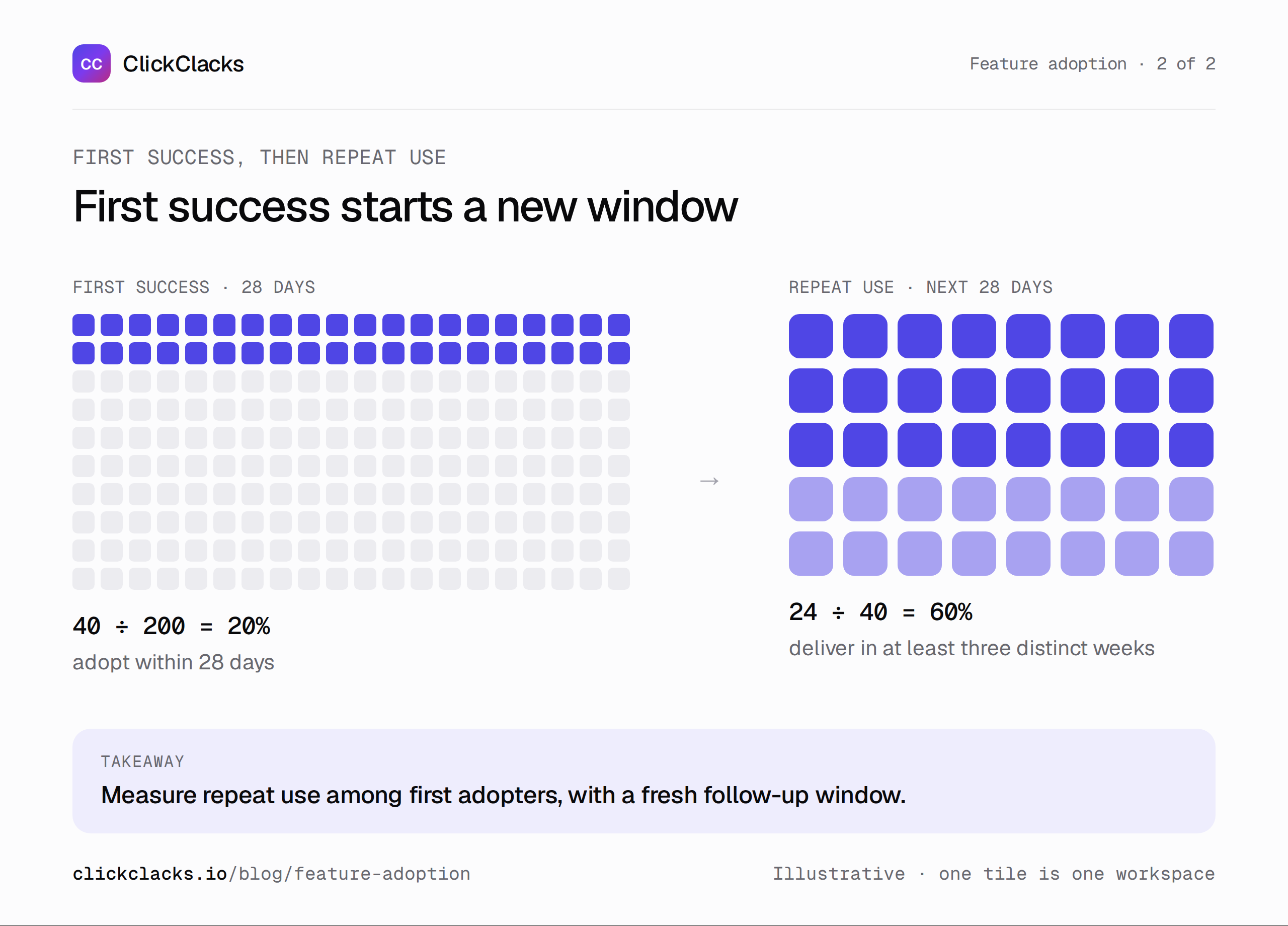
Give each workspace the same opportunity to qualify for the metric you are reporting.
Use the stage to choose the investigation
The example suggests several different investigations. Only 80 of 200 eligible workspaces explored scheduling. Before adding another tooltip, check whether the other 120 actually need scheduled reporting. Low discovery among people without that job is not necessarily a product failure.
Thirty explorers did not save a schedule. Inspect the setup path: confusing cadence options, missing permissions, or a requirement to configure a destination could explain the gap. The event sequence locates the question; it does not tell you the user’s motivation.
Ten saved schedules did not produce a successful first delivery during the window. Check failure events and expected delivery dates. A schedule set for the following month is different from a background job that failed. Separate “not yet due” from “attempted and failed” before recommending a UX change.
Finally, investigate why some first adopters did not repeat. They may have changed the cadence, disabled an unwanted report, or stopped needing the workflow. A short conversation can be more useful than inventing an explanation from a percentage.
Segment without losing the original question
Start with one distinction that could change what you build. New versus established workspaces may need different setup help. Admin-created versus member-created reports may expose a permissions issue. Report cadence may explain apparent differences in repeat use.
Always show counts alongside rates. A segment with four successful adopters out of five eligible workspaces is a useful observation, but weak evidence for a broad rollout decision. Avoid ranking many tiny segments until one produces an exciting percentage.
Adopters may also be your most motivated customers before the feature launches. If they retain better, that association does not establish that the feature caused their retention. Use it to form a hypothesis, then choose a stronger evaluation design if the investment depends on causality.
Turn the definition into a reusable report
Write down the population, success event, identity level, observation window, exclusions, and owner next to the report. Preserve that definition when the feature changes. If a redesign changes what counts as success, version the metric and explain the break rather than stitching incompatible results together.
An event analytics report can help inspect successful actions and usage patterns. Pair it with the definitions above so the chart answers a specific question. Build separate views for first success and repeat use instead of asking one total event count to stand in for both.
At your next review, bring one finding and one proposed investigation: “40 of 200 eligible workspaces received a first delivery; we need to understand the ten saved schedules that did not.” That gives the team a place to start and a concrete way to check whether the next change helped.
Keep reading
All posts
Guides10 min read
User onboarding analytics: find where new users get stuck
Find the onboarding step that prevents activation, reproduce a worked funnel with sample events, and separate pending users from real drop-offs.
Guides6 min read
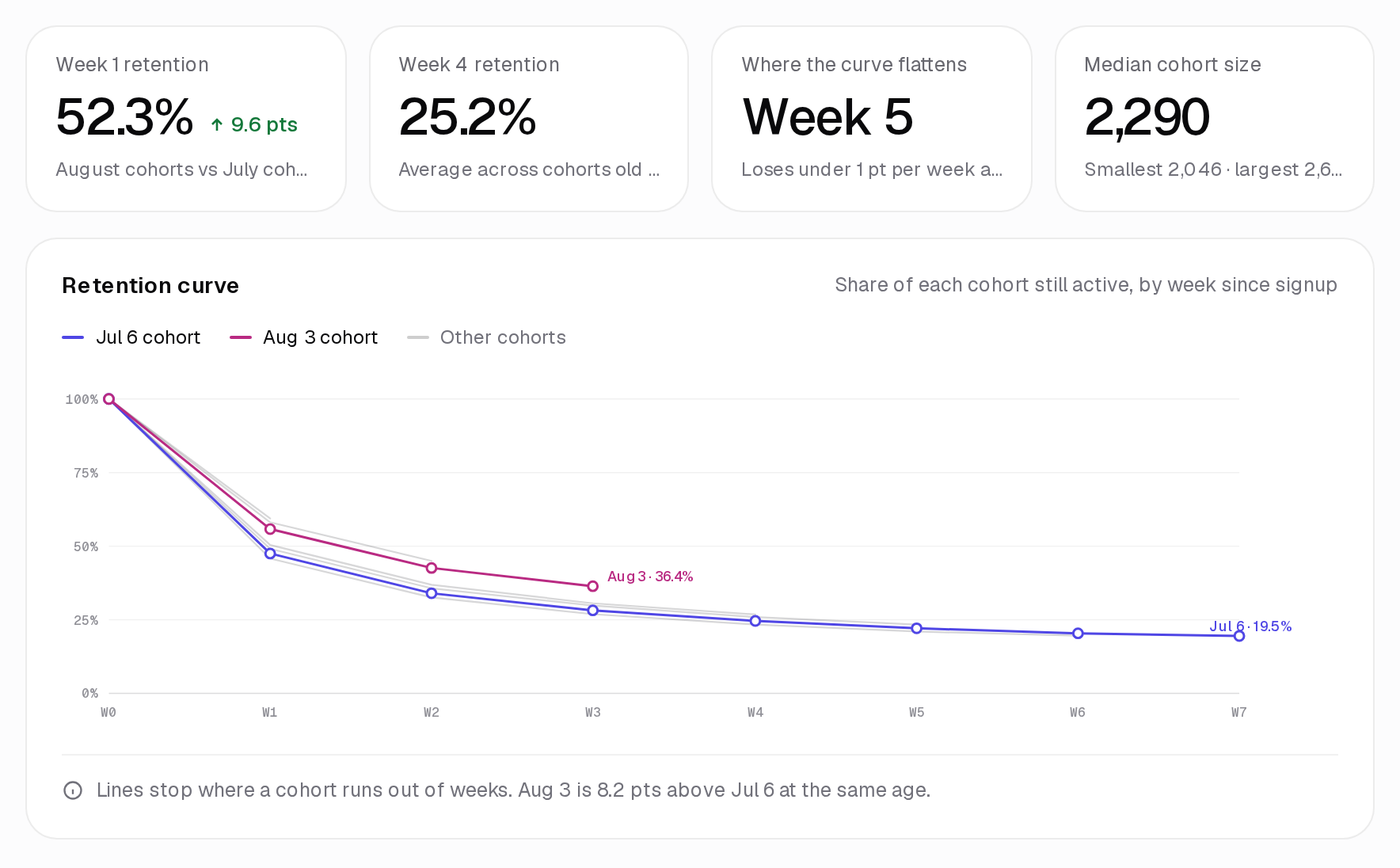
How to interpret cohort analysis without misreading the grid
Learn how to read cohort rows and columns, distinguish pending periods from zero activity, and compare retention fairly using an annotated worked example.
Guides6 min read
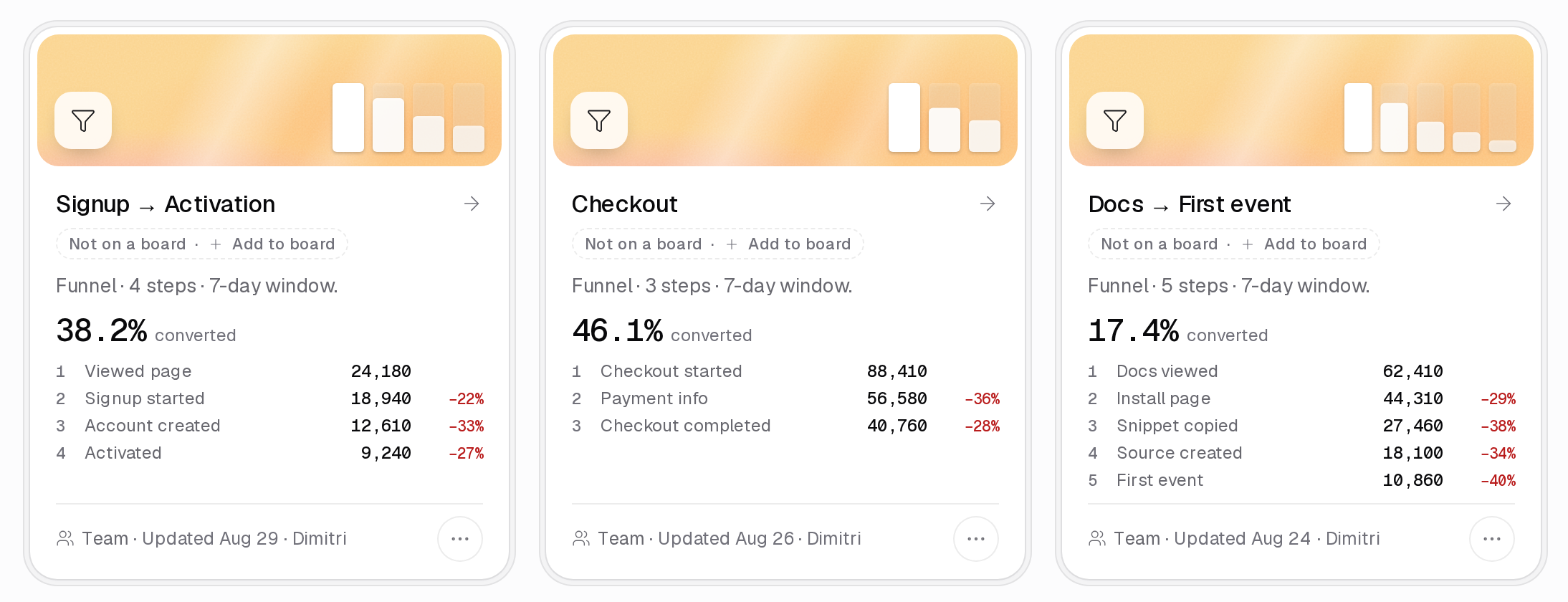
Conversion funnel optimization for a SaaS sign-up flow
Find and validate a SaaS sign-up obstacle, calculate step losses, estimate a change transparently, and evaluate the result with a useful downstream guardrail.